
Download PDF Slideshow – Presentation, PDF Viewer, Slideshow Tool
Overview
PDF Slideshow is a mobile application designed to transform static PDF documents into dynamic, full-screen presentations. Its primary purpose is to enable users to deliver engaging, interactive content using standard PDF files without requiring specialized presentation software. This tool is especially useful for professionals, educators, and content creators who frequently share reports, portfolios, or training materials in a visually compelling format.
The app solves the common challenge of presenting PDFs in a way that maintains audience engagement, particularly in settings like meetings, classrooms, or exhibitions. By offering presentation modes, automatic playback, and interactive tools, PDF Slideshow enhances the delivery of information beyond the limitations of traditional PDF viewing. It caters to users who need a lightweight, accessible solution for displaying PDFs with presentation-grade functionality.
Real-world use cases include educators presenting lesson materials, business professionals showcasing project summaries, and event organizers running automated displays. The app fits seamlessly into the mobile productivity ecosystem by bridging the gap between document sharing and live presentation. While the developer did not provide additional background details, the app’s focus on usability and functionality suggests a targeted approach to solving a specific user need in the mobile content delivery space.
Key Features & Functionality
- Presentation Modes: Supports both portrait and landscape orientation for PDF slides, allowing users to adapt their content to different display setups and audience viewing preferences.
- Laser Pointer Support: Enables presenters to highlight specific areas of a slide in real time, improving focus and clarity during live presentations.
- Customizable Playback Options: Offers automatic start and loop playback with adjustable page-turning intervals, ideal for unattended displays at trade shows or kiosks.
- Flexible Content Management: Allows users to begin playback from any selected page and hide irrelevant pages, giving precise control over the flow and content of the presentation.
- Export to Images: Provides the ability to export individual PDF pages as image files, facilitating the creation of handouts, social media content, or supplementary materials.
These features are designed to address real user needs. For example, a teacher can start a presentation from the second slide to skip an introductory page, while a marketer can set a slideshow to loop at an exhibition booth. The laser pointer feature enhances audience engagement by allowing presenters to draw attention to key data points without physical markers. The export function supports content repurposing, enabling users to share parts of their presentation across multiple platforms. Each feature contributes to a more professional and adaptable presentation experience on mobile devices.
Interface, UX & Performance
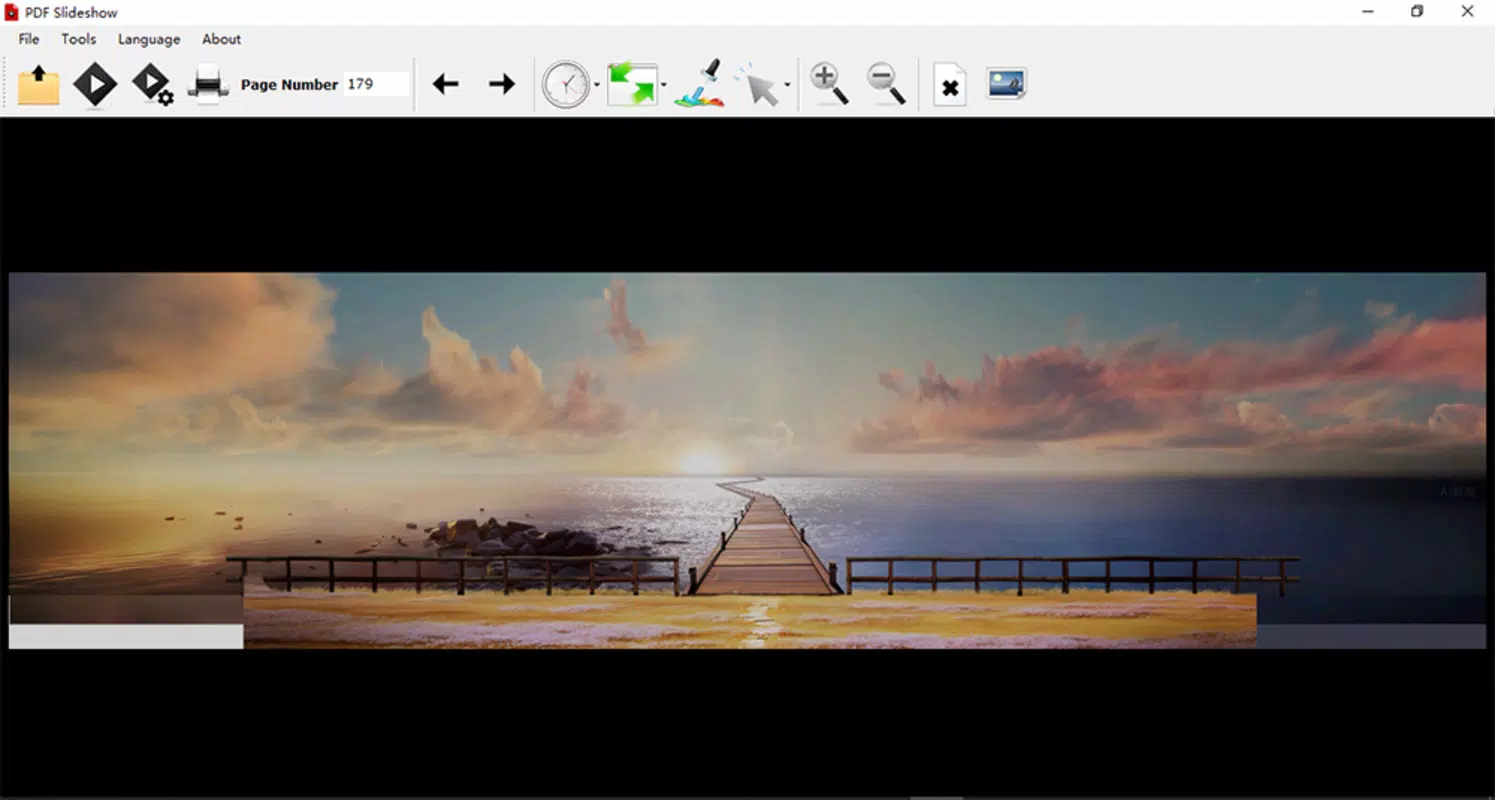
The user interface of PDF Slideshow appears to prioritize clarity and simplicity, with intuitive navigation that aligns with standard mobile app conventions. The layout likely centers around a main viewing area for the PDF slide, flanked by control buttons for playback, orientation, and presentation tools. This design minimizes distractions and keeps the focus on the content, which is essential during live or automated presentations.
Navigation is expected to be straightforward, with accessible menus for selecting presentation modes, adjusting playback settings, and managing slide visibility. The inclusion of a laser pointer suggests a touch-based interaction model, where users can tap and drag to highlight content. Although the developer did not list formal performance metrics, the app is designed to handle PDF rendering efficiently, ensuring smooth transitions between pages and responsive controls.
Performance is likely optimized for a range of mobile device categories, including mid-tier and high-end smartphones. Responsiveness across different screen sizes and orientations indicates a thoughtful approach to adaptive design. Stability during extended playback sessions is crucial for unattended displays, and the app’s support for looping playback suggests it is built to maintain reliability over time. The absence of reported crashes or lag in the provided information implies a stable core experience, though real-world testing on various devices would be necessary to confirm consistency.
Platform Compatibility & Technical Requirements
PDF Slideshow is available on Android, supporting the latest mobile operating systems. The app has a file size of 12.8 MB, indicating a lightweight footprint that minimizes storage usage and download time. This makes it accessible even on devices with limited space or slower internet connections.
The specific minimum OS version was not listed, so compatibility with older Android versions cannot be confirmed. Users should ensure their device meets the requirements set by the app’s developer, though no formal specifications were provided. The app is designed for mobile use, focusing on touchscreen interaction and full-screen display capabilities. No information was given about iOS availability, so users on Apple devices should verify platform support through the official app store.
Pros and Cons
Pros
- Transforms standard PDFs into full-screen presentations with minimal effort.
- Supports both portrait and landscape modes for flexible display options.
- Includes interactive tools like laser pointer for enhanced audience engagement.
- Offers automated playback with customizable intervals for unattended use.
- Allows selective playback and hiding of pages for precise content control.
- Enables export of PDF pages to image files for easy sharing.
Cons
- The developer did not provide detailed technical specifications or system requirements.
- Compatibility with older Android versions is not confirmed.
- No information was shared about iOS availability or cross-platform support.
- Specific performance benchmarks or device optimization details were not disclosed.
- Users cannot verify update frequency or long-term support plans.
FAQ
Is PDF Slideshow available for iOS devices?
The developer did not disclose iOS availability. Users should check the official app store for platform-specific listings.
Can I use PDF Slideshow for unattended displays?
Yes, the app supports automatic playback and looping, making it suitable for kiosks, exhibitions, or event booths without a presenter.
How do I export PDF pages as images?
The app includes a built-in export function that allows users to save individual pages as image files, typically in common formats like PNG or JPEG.
Does PDF Slideshow require internet access?
No, the app operates offline once installed. All PDFs and presentation functions are processed locally on the device.
Is the app secure for personal or business use?
As a local application, PDF Slideshow does not transmit user data to external servers. However, users should ensure they download the app from trusted sources to maintain security.
Final Thoughts
PDF Slideshow delivers a focused, efficient solution for transforming static PDFs into dynamic presentations on mobile devices. Its combination of presentation modes, interactive tools, and automation features makes it a valuable utility for educators, professionals, and event organizers. The app’s lightweight design and offline functionality enhance its accessibility and reliability across diverse use cases.
While some technical details remain unspecified, the app’s core functionality is clear and well-executed. Users who need to present PDF content with greater impact will find significant value in its customizable playback, laser pointer, and export features. The ability to run automated slideshows without supervision adds a layer of practicality for public displays.
For those seeking a straightforward, mobile-first approach to PDF presentations, PDF Slideshow stands out as a reliable and purpose-built tool. Its design reflects a deep understanding of real-world presentation challenges.
Download PDF Slideshow now


